Overview
dsh-mnemon gives DeepSeek Harness three kinds of memory: runtime memory in every turn, Project Documents searched when a question needs them, and Memory Spaces for durable evidence on the Provider you choose. A main strategy decides how they take part in each turn; you pick it, and any enhancements, on the Plugins page. Start with the default Layered strategy; you never need to manage plugins to use it.
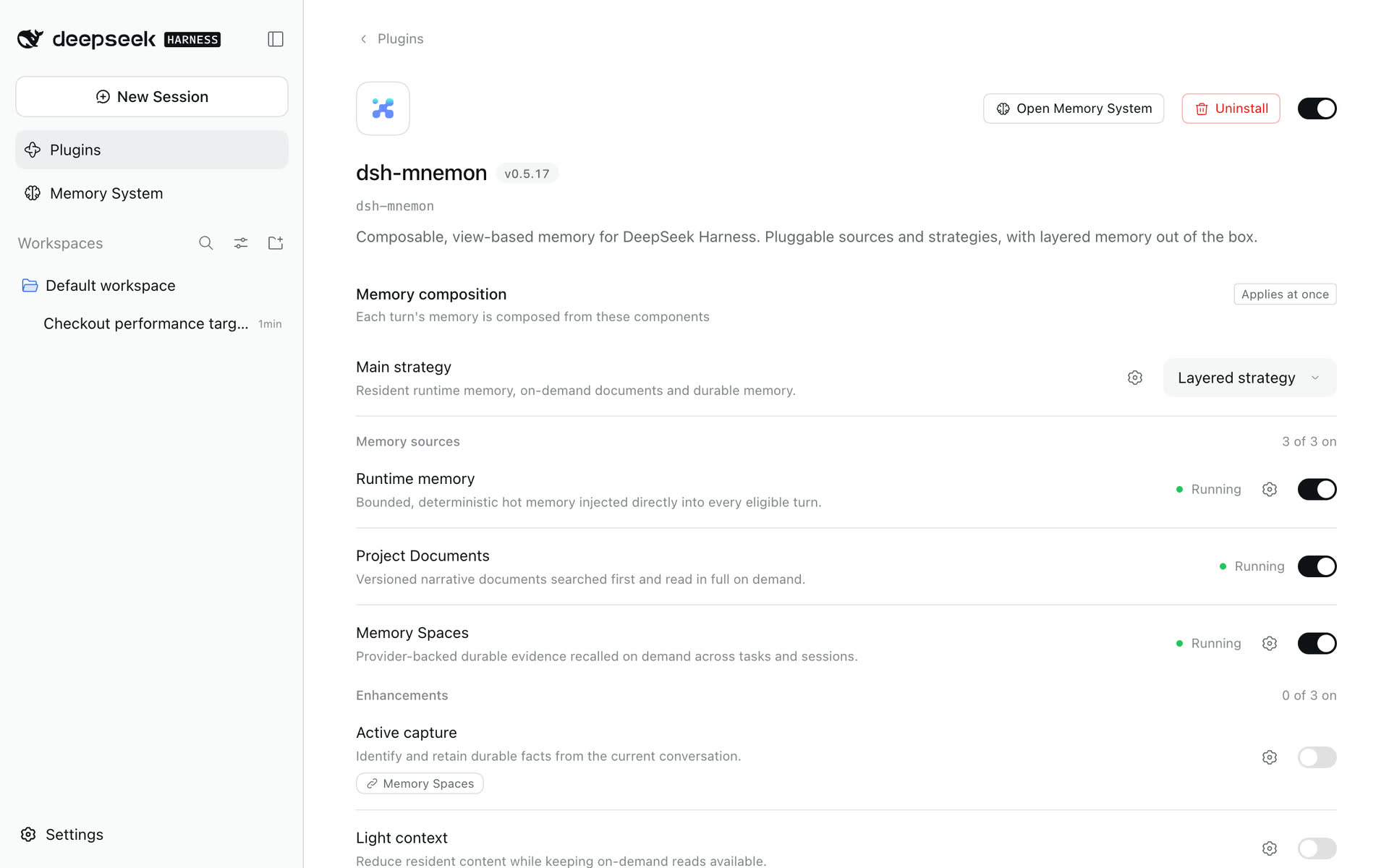
Use the system
| Task | Guide |
|---|---|
| Install from scratch on the web, the desktop app or the command line, through to the first memory | Install and start |
| Store and use the first memories | Getting started |
| Find your way around the conversation, the Memory System and the Plugins page | UI guide |
| Understand what each component and strategy does | Capability map |
| Choose and connect a long-term backend | Providers |
| Back up, move storage or troubleshoot | Operations |
| Upgrade an existing installation | Compatibility and upgrades |
Look up a contract
| Question | Reference |
|---|---|
| Which settings exist, where are they edited and saved? | Configuration |
| What is stored where, shared or archived? | Storage model |
| When do reads, writes and maintenance run? | Workflows |
| Which tools, commands, RPC channels and UI regions are exposed? | Interfaces |
Build an extension
| Task | Developer guide |
|---|---|
| Understand Source, Strategy, View, ownership and the UI regions | Architecture |
| Create a Source, Strategy, enhancement or Provider | Plugin development |
| Adapt a skin to Mnemon backgrounds and transparency | Skin development |
| Build, test and capture a real WebUI | Development and verification |
| Version and release independent packages | Release process |
What is new
v0.5.25 keeps memory working when no Memory Space can take an archive, and lets Save to memory choose where the text goes. v0.5.24 made the Entities page count and list every memory that carries an entity, show them as soon as one is selected, and find related memories only when asked. All releases · Roadmap · Historical evidence
Guides describe the current release. Screenshots and recordings come from the v0.5.19 gallery, and the installation steps from the installation gallery; dated PR records establish only their named revisions and environments. Internal Host RPCs are not an external plugin SDK.